Build / Desktop app
Stellarium
Explorer.
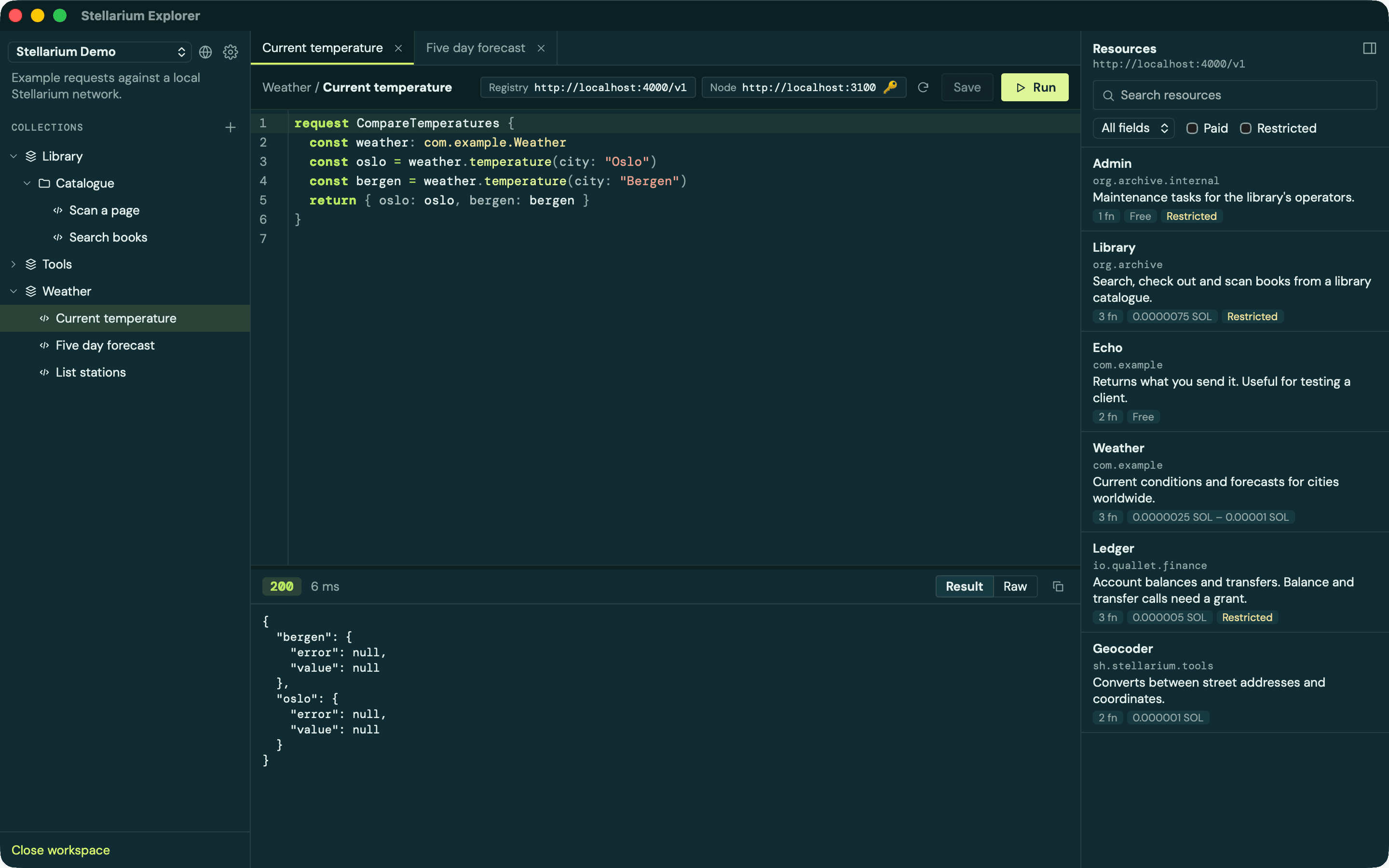
Write RequestScript with completions straight from the network, browse every resource a registry knows about, and run requests against any node. All from one desktop app.
01 / Organize
Keep requests
in workspaces.
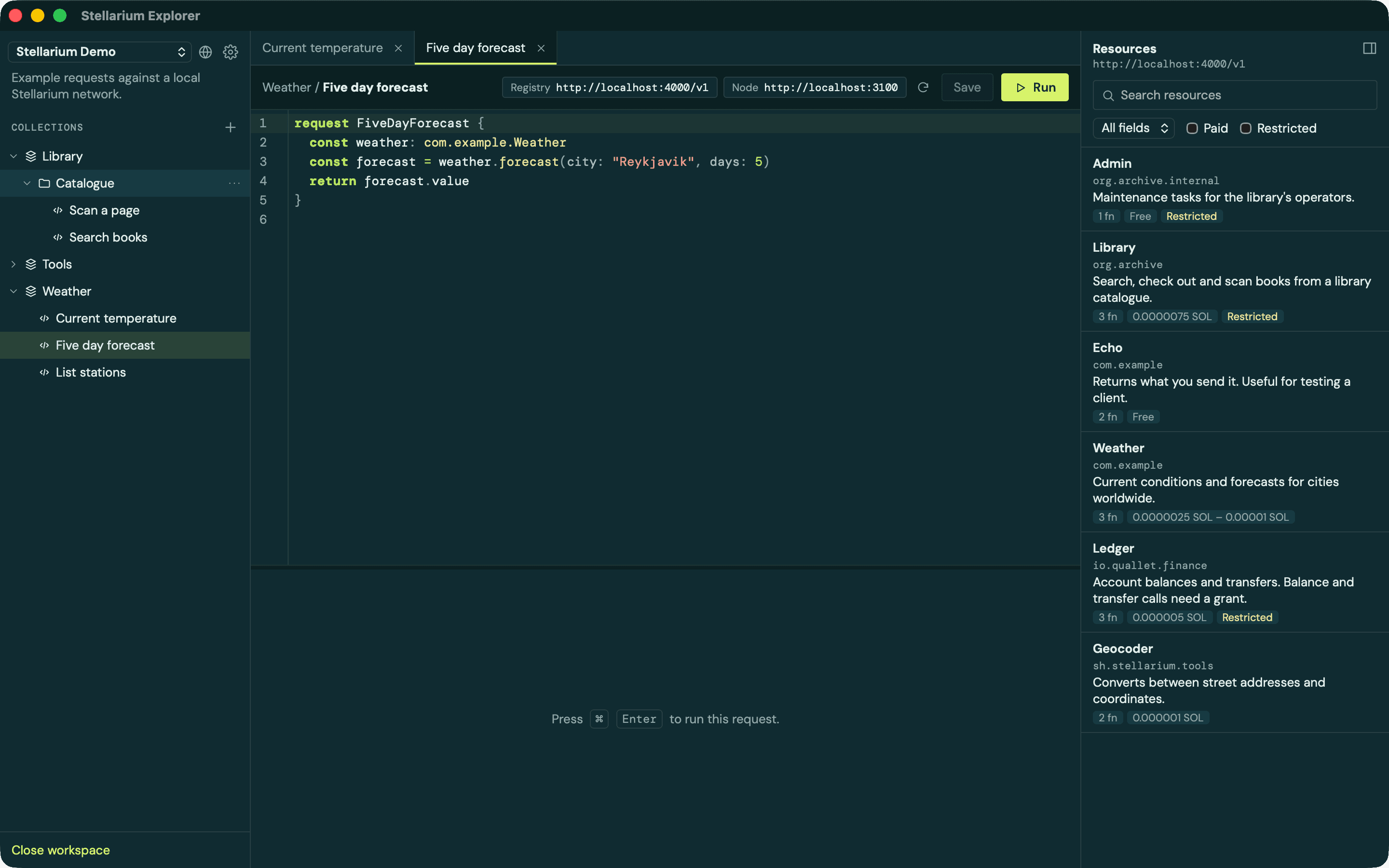
Group requests into collections and folders inside a workspace. Open as many requests as you like in tabs, and save with ⌘S.
A workspace is just a folder on your disk. Each request is a .rqs file holding its RequestScript, next to a small .toml file with its name and settings. That means you can check a workspace into git and share it with your team. If you edit the files somewhere else, the app picks up the changes right away.
02 / Write
An editor that
knows the network.
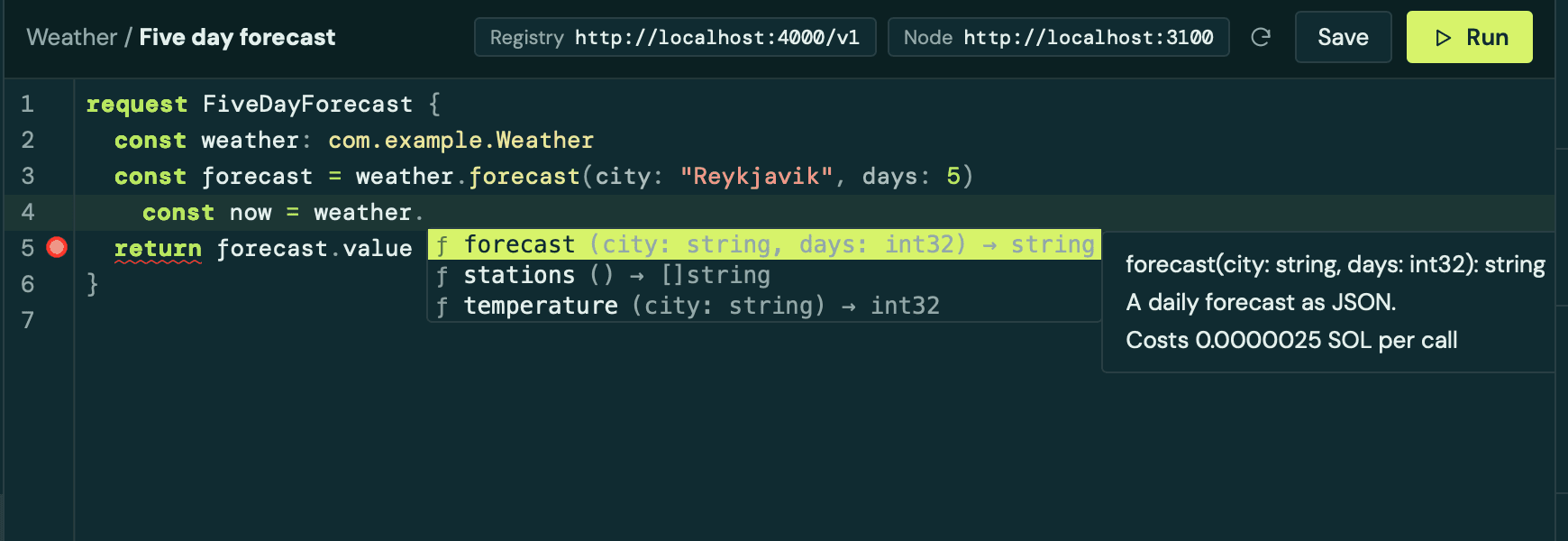
The editor reads the resource catalogue from your registry, so it knows every resource and function you can call. Type a dot after a resource and it suggests that resource's functions, along with their parameters, return types, descriptions and what each call costs.
- Completions for resources, functions and parameters. Press
Ctrl Spaceto bring them up at any time. - Hover docs for any resource or function in your script.
- Inline errors as you type, before you send anything to a node.
03 / Discover
Browse what's
out there.
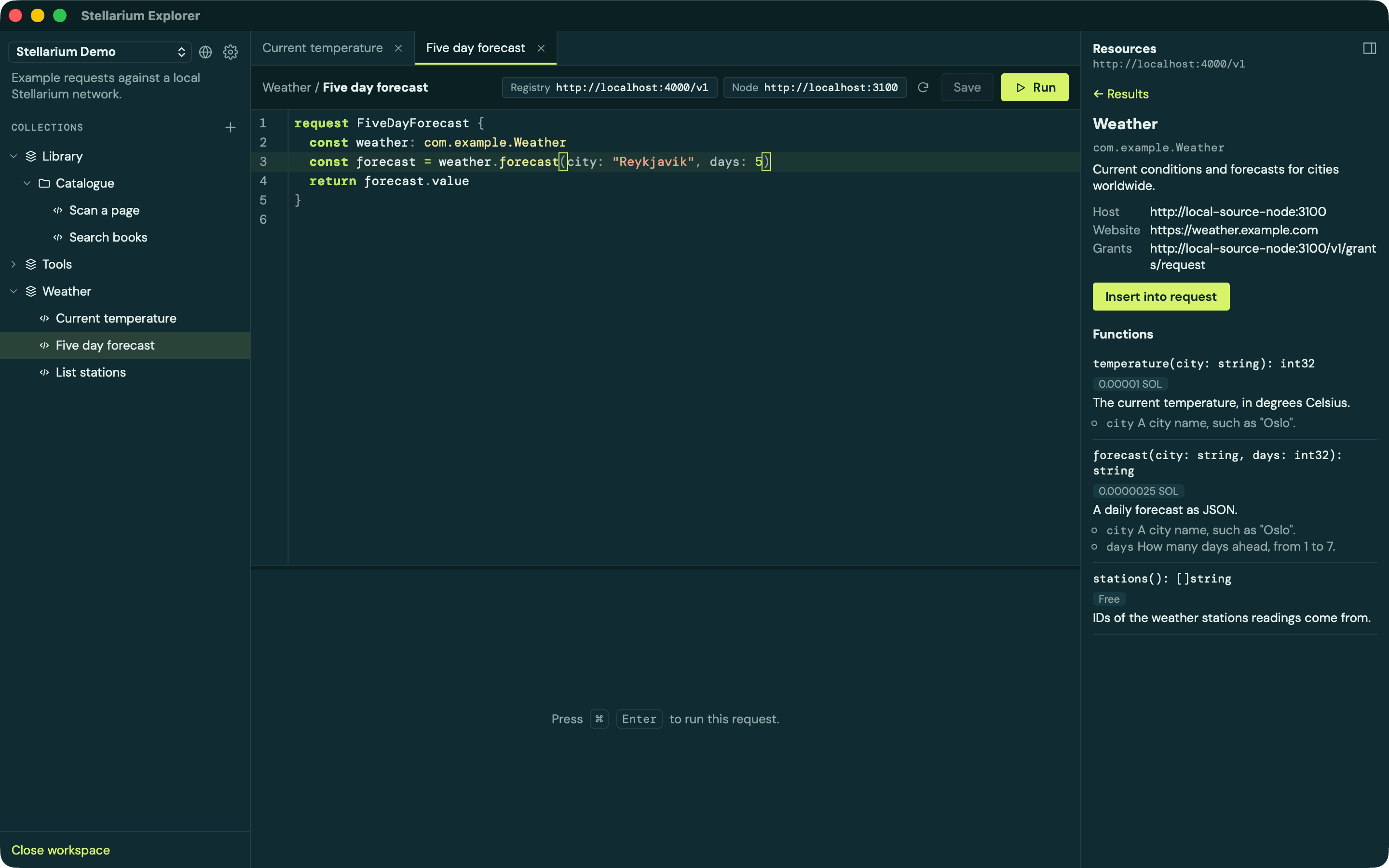
The resource browser lists everything your registry knows about. Search by name, path or description, and filter for paid or restricted resources. Open a resource to see the node that hosts it, its website, and every function with its parameters and price.
Found what you need? Insert into request adds the resource to the request you have open, ready to call.
04 / Connect
Point it at
any network.
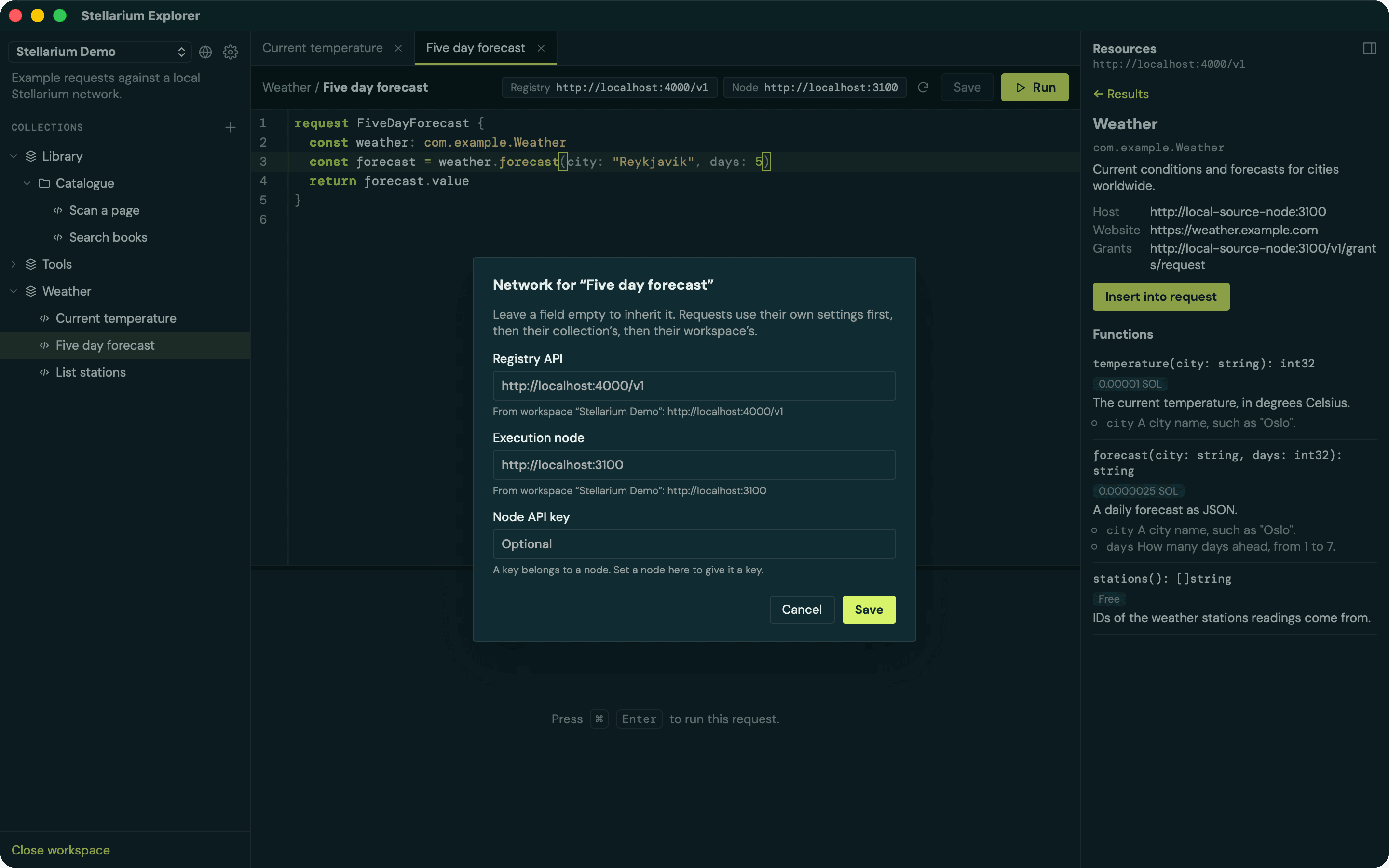
Each workspace, collection or request can choose two things: the registry it browses and completes from, and the node that runs its requests. Anything left empty is inherited. A request uses its own settings first, then its collection's, then its workspace's. That makes it easy to point one collection at a local node while the rest of the workspace talks to a shared one.
If your node needs an API key, add it here. Keys are kept in your system keychain and never written into your workspace files, so you can share a workspace without leaking them.
05 / Run
Run it.
See what comes back.
Press ⌘Enter and the request goes to your node, which calls each resource wherever it lives on the network. The response appears under the editor with its status and timing, formatted, with a raw view and a copy button. If a run takes too long, you can cancel it.
Each resource call comes back with a value and an error, so a call that fails doesn't fail the whole request. Your script decides what to do with it.
Get started
Download
the app.
Stellarium Explorer is free and open source. Download the latest version for your computer from the releases page:
- macOS: Apple Silicon and Intel.
- Windows: 64-bit installer.
- Linux: AppImage,
.deband.rpm.
The app checks for new versions by itself and lets you know when one is ready. One click installs it and restarts the app.
You will need a registry to browse and a node to run requests against. To run your own node, follow the node guide. Want to build the app yourself? The README explains how.
Built something with it? Show us.
Meet the community →